
How MailGraph works.
You connect a mail account and an AI. Claude reads your mail in the background and makes projects of it. You read and answer in the same app.
Connect your mail.
iCloud Mail, Gmail, Fastmail, Outlook, or any other provider with IMAP. An iCloud account can also turn on its calendar. Until an account is connected, the app shows a sample library and says so.
Connect your AI.
Claude, through Claude Code on your Mac, or ChatGPT, through OpenAI’s own sign-in, on the plan you already have. Without a plan of your own, MailGraph AI, with a MailGraph account. One at a time. Without an AI there are no projects.
Let it read.
Claude reads your mail in the background and decides what belongs together. A first run takes minutes. You can read and write mail meanwhile. There are no rules, labels or folders to keep up.
Claude reads. You decide.
It reads, sorts and proposes. Sending, moving and deleting stay yours.
A project is one undertaking.
A trip, a renovation, a client, a purchase. Each project says where it stands and what waits for you.
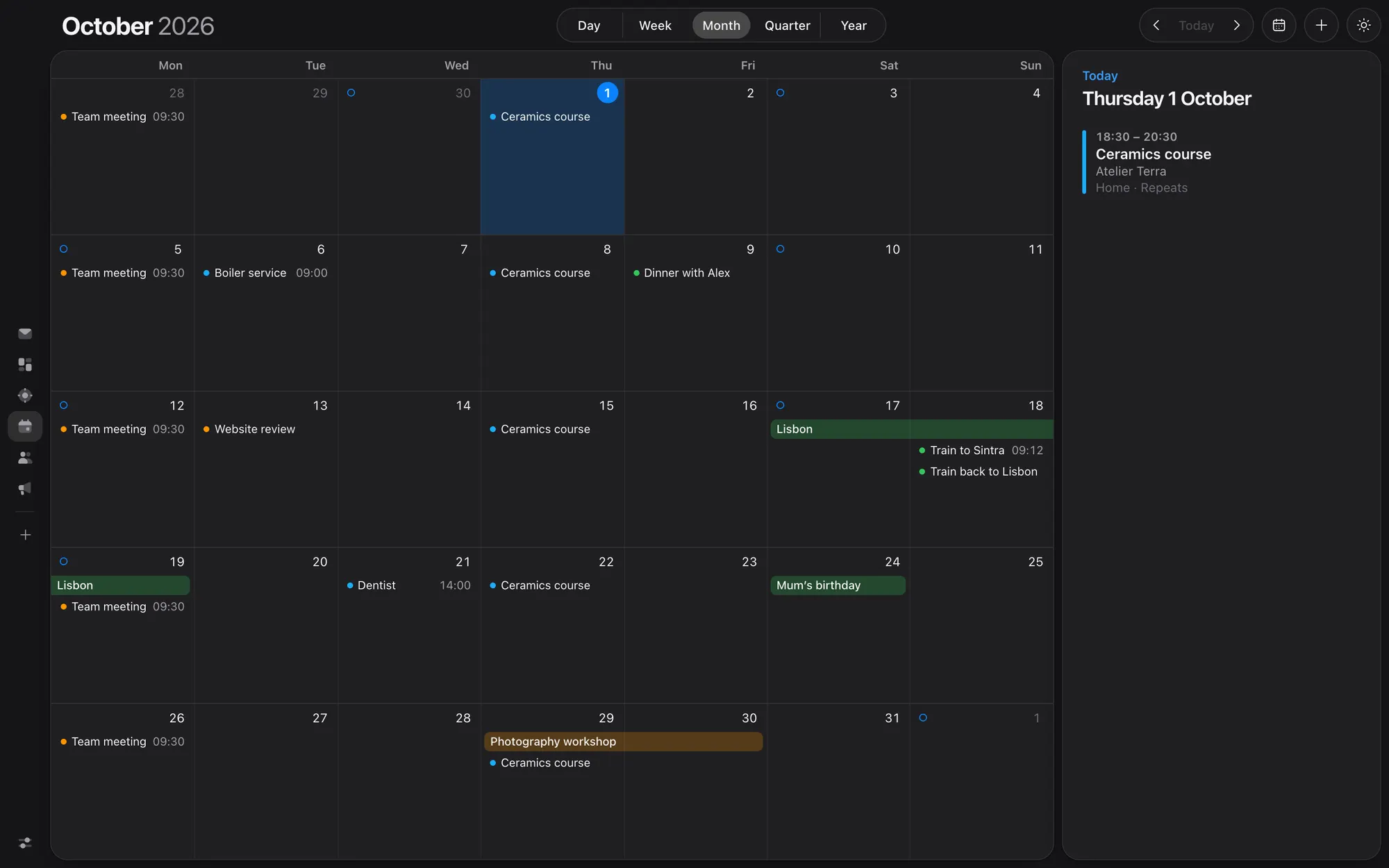
- Overview, Activity, Files and People, each on its own tab
- What you track, with a plus to add lines of your own
- A trip’s days, made from its confirmation emails
- A Key facts button for bookings and numbers
- One box that searches the project and asks Claude about it
- A quiet line for what came in since your last visit
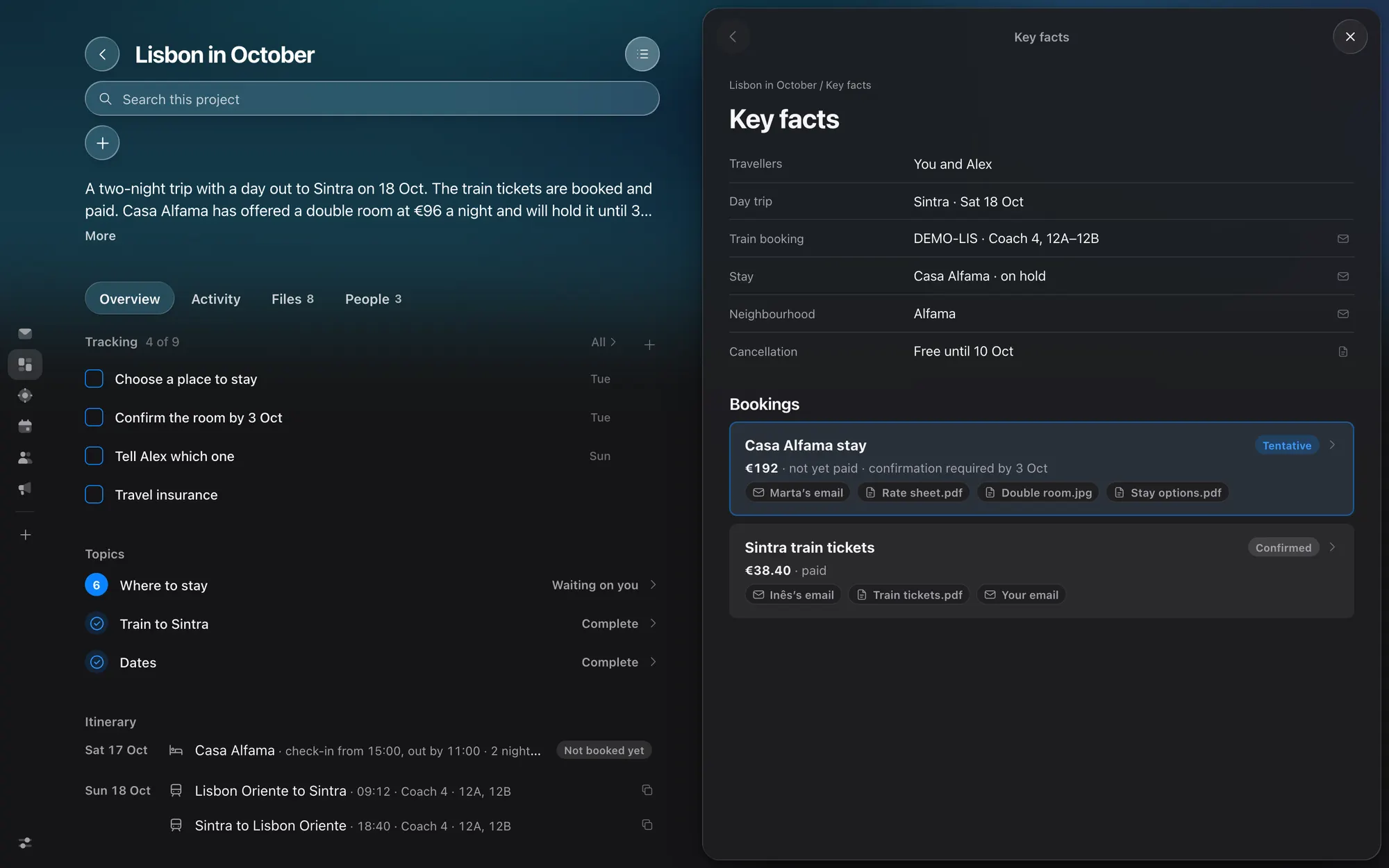
One list for all of it.
Today gathers what is to do and what is to decide from every project, so you do not have to visit them one by one.
- To do and to decide, across all your projects
- Who waits for an answer, and what comes up
- A line at the end of each list to type your own
- Every line is one short line; a press opens it in full beside the page
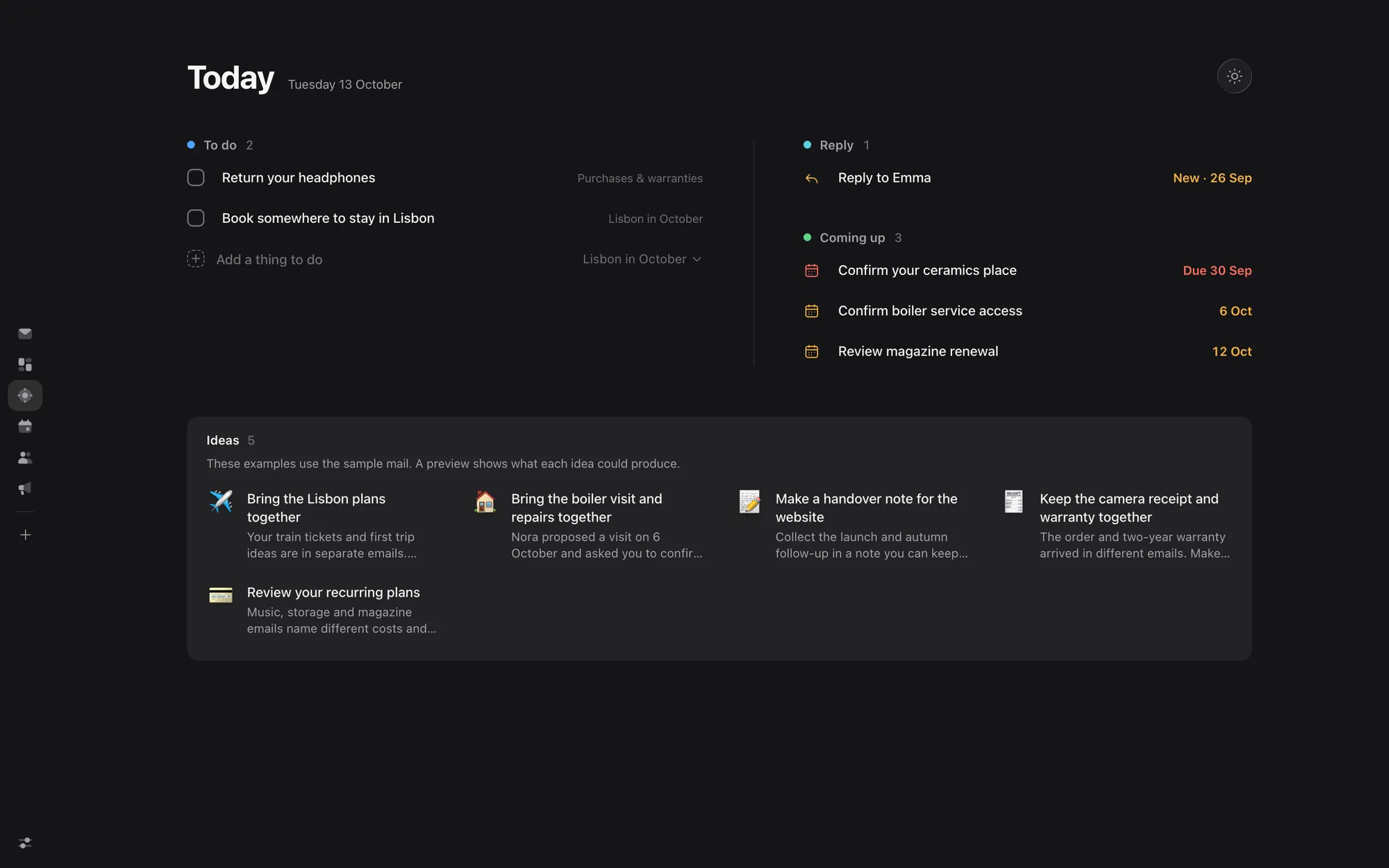
Read it and answer it, in the same place.
Every email is shown as it was sent. The project it belongs to sits on the mail, and one press takes you there.
- Write, reply, forward, archive, delete, move, flag, mark unread
- Unread mail has a dot, following the mark in your mailbox
- Scan the mail, jump to the project for context, then reply
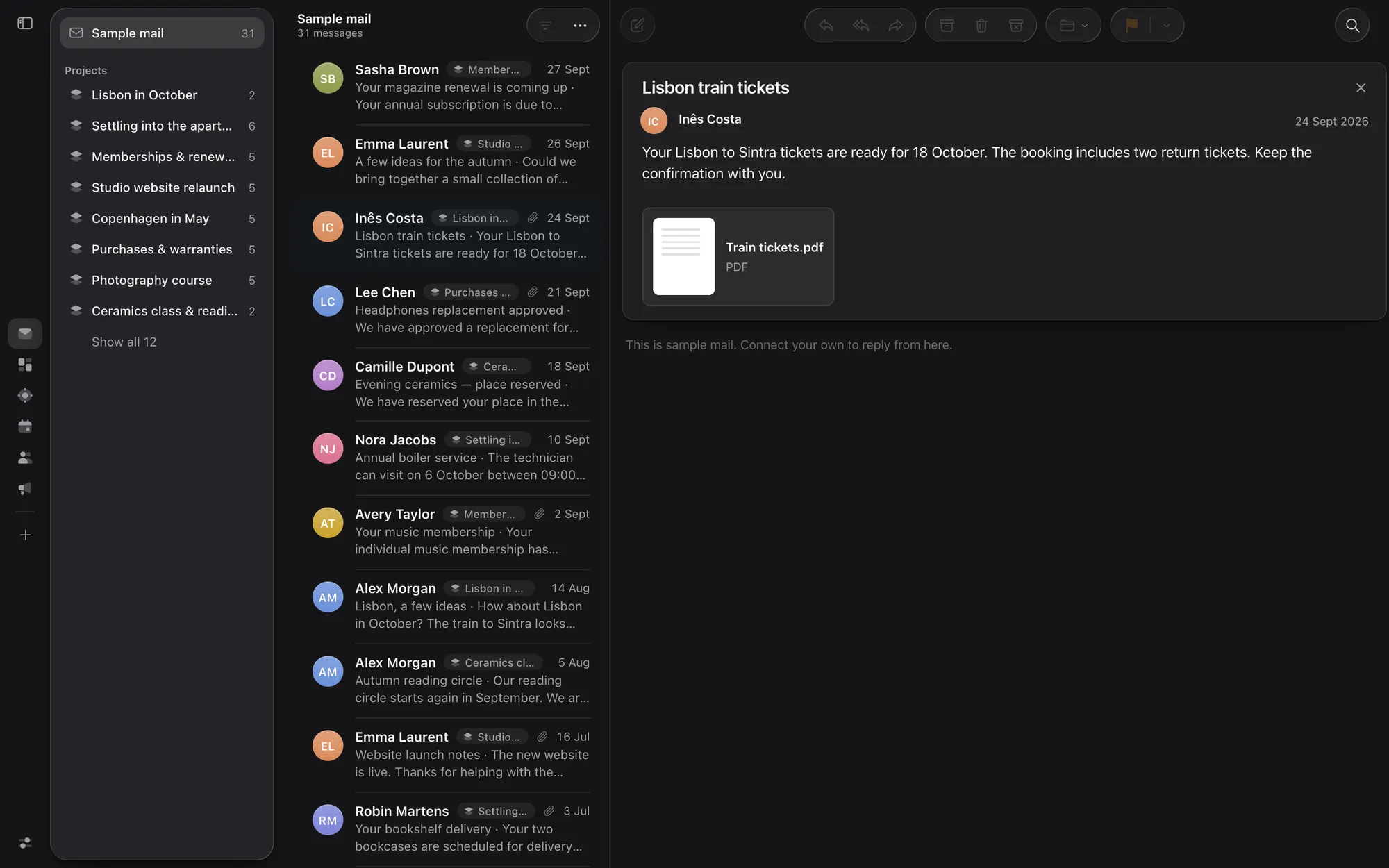
Your calendar, with your mail’s days in it.
See your iCloud calendar by day, week, month, quarter or year. A day found in your mail goes into the calendar with one press.
- Make and change events
- The event says which email and which project it comes from
- MailGraph never removes a calendar event
Files open where they are.
An attached file opens in the app. No download, no looking for the program that opens it.
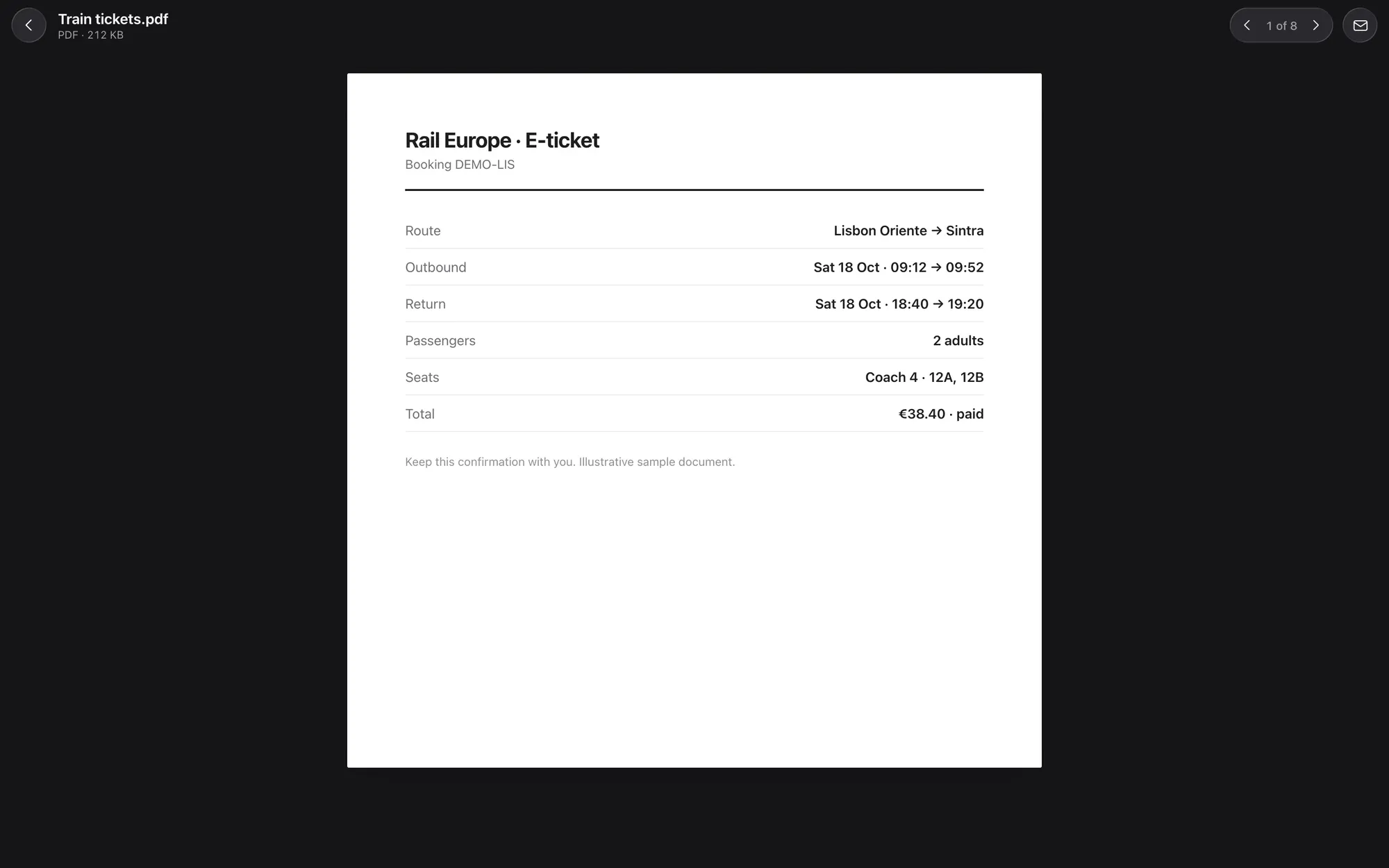
- PDF, pictures, Word, Excel, PowerPoint, sound, film, tables, invites and attached emails
- A project’s Files tab shows every file with a small picture of it
- The QR code or barcode of a ticket is in front of you on the day it is wanted, large on white, ready to scan
Find it. Ask it. Clear it out.
- Find by your words, on the Mac, or by a description that Claude works out.
- Ask from a project’s page. One box searches the project and asks Claude about it, answered from that project’s mail and files.
- People shows who is who in each project.
- Advertising shows who sends you the most, and lets you unsubscribe in one go.
- Purchases and warranties, and memberships and renewals, are standing collections with pages of their own.
How well does it sort?
We tried it on a sample mailbox of made-up mail. Claude found 87% of the links between emails and projects, and 90% of the links it made were right. Reading 48 emails took four questions and about 50 seconds.
A sample is not your mailbox. On a first run with your own mail, expect it to take minutes. What it cannot tell from your mail, it says is unknown.